(For Southeast Asia) Crunchyroll Arrives for PS5 and PS4 users in Indonesia, Malaysia and Thailand https://ift.tt/QXwnrfq
We are excited to share that Crunchyroll, the global and ultimate destination for anime fandom, has arrived for PlayStation 5 and PlayStation 4 users in Indonesia, Malaysia and Thailand. Anime fans can now subscribe to Crunchyroll directly through PlayStation Media Hub on PS5 or PS4.
Crunchyroll offers hundreds of anime titles, including Black Clover Season 2 and Overgeared.
The Crunchyroll Mega Fan membership is now available through PlayStation Store on PS5 or PS4 for IDR 49,000 / MYR 14.90 / THB 119 per month. It includes ad-free viewing, offline downloads on supported devices, streaming on up to four devices simultaneously, and access to Crunchyroll Game Vault, a collection of over 100 anime-inspired mobile games included with the membership.
New Marvel Cosmic Invasion: The Siege of Castle Doom gameplay details https://ift.tt/SsZliL2
What was Doctor Doom up to during the Annihilation Wave? How would the master of Latveria react to an invasion of this magnitude to his doorstep? This was the first question we’ve asked ourselves while tackling the design of our second DLC for Marvel Cosmic Invasion. We knew players demanded a mode promising a lot of replayability.
The idea was to offer something that would mix a perfect combination of classic Beat Em Up combat and an evolving mode that brought a new angle and some unique challenge to the genre – something that would perfectly accompany the addition of the two new playable characters: The Invisible Woman and Doctor Doom.
Doom’s Castle Doomstadt seemed like the perfect candidate for this combination.
Design Intent
It was obvious to organize the new game mode around the duality of Reed Richards and Doctor Doom. Through voice-overs, the leader of the Fantastic Four guides the heroes through their ordeal while Doom mocks their efforts to invade Doomstadt. This notion brought us the idea of creating gauge mechanics.
As Doctor Doom’s brand new Cosmic Inductor charges up with energy to give him massive power, a Siege Gauge charges up each time the heroes get bested by enemies within the halls of Castle Doom. But every victory yields batteries charging up a Stabilizer, stalling Doom’s progress.
We thought this theme and core gameplay enhanced the classic experience of the main campaign by tackling uncharted design territories and giving more ways to interact in the midst of the combat with new equipment, new power-ups, strategies and player decisions that can change the course of each run in a matter of seconds.
The ever-changing experience
The philosophy behind the level design of our new mode was to create a great sense of navigation and surprise within the corridors of the Castle Doomstadt. We aimed to create impactful moments that can reinvent themselves in new encounters, dangers and patterns that can become familiar after multiple runs without taking out the sense of adventure.
The Siege of Castle Doom has more than five times more encounters than the main game without the addition of the new events, traps and hazards that form the environmental challenges.
Reaching Doctor Doom is no easy task. The Halls of Doom are filled with torturous medieval-era tools. Heroes will be challenged by harsh blizzards freezing the Castle Battlements. Beware of the Tower of Solitude’s treacherous elevator platforms where Doom is developing his many experiments.
But to progress through these dangerous halls, the players will have to carefully choose which direction to take by selecting themed doors.
Equipment: Arms the player with a variety of special powers, whether they’re imposing force fields or devastating energy blasts.
Events: Leads the heroes to an arena where the rules are temporarily changed, potentially giving bonuses or penalties, depending on the outcome.
Heal: Gives your hero much needed healing.
Infinite: Power-up door where the player can be gifted infinite ammo or infinite focus.
Progression: Where your hero can collect a random amount of batteries that will fill Reed’s Stabilizer Gauge.
Build the best team against Doom
Atop the castle, Doom is charging up his Cosmic Inductor to make himself into Earth’s Champion.
Players will need to be careful to not increase the Siege Gauge before gathering enough batteries to create Stabilizers and give Reed Richards the chance to increase the hero’s efficiency with the help of Perks.
The Perks system allows for leveling up with many branches: Offense, Defense, and Tactical, all based around their own theme. Perks are applied individually to each hero. Together, they will be able to unite their different strengths to create the best possible squad. Coordinating decision making for the builds will create a clear strategy, enabling even more chances for victory. In multiplayer, an MVP system will even reward the most effective players in the runs by showcasing their statistics.
Back at the lab
When collecting Stabilizers, heroes can reach Reed Richard’s Lab where they can expand their experience and unlock even more content. All-new unlockables such as equipment, events, and modifiers will reshape your Castle Doom experience. Completing a run will unlock a brand new palette for your hero, adding even more customization to your favorite character.
We are excited to welcome you to Castle Doomstadt and give you a brand new adventure within Marvel Cosmic Invasion on November 10.
Celebrate Helldivers 2 Liberty Day 2026 with in-game gifts today https://ift.tt/Mr597Wc
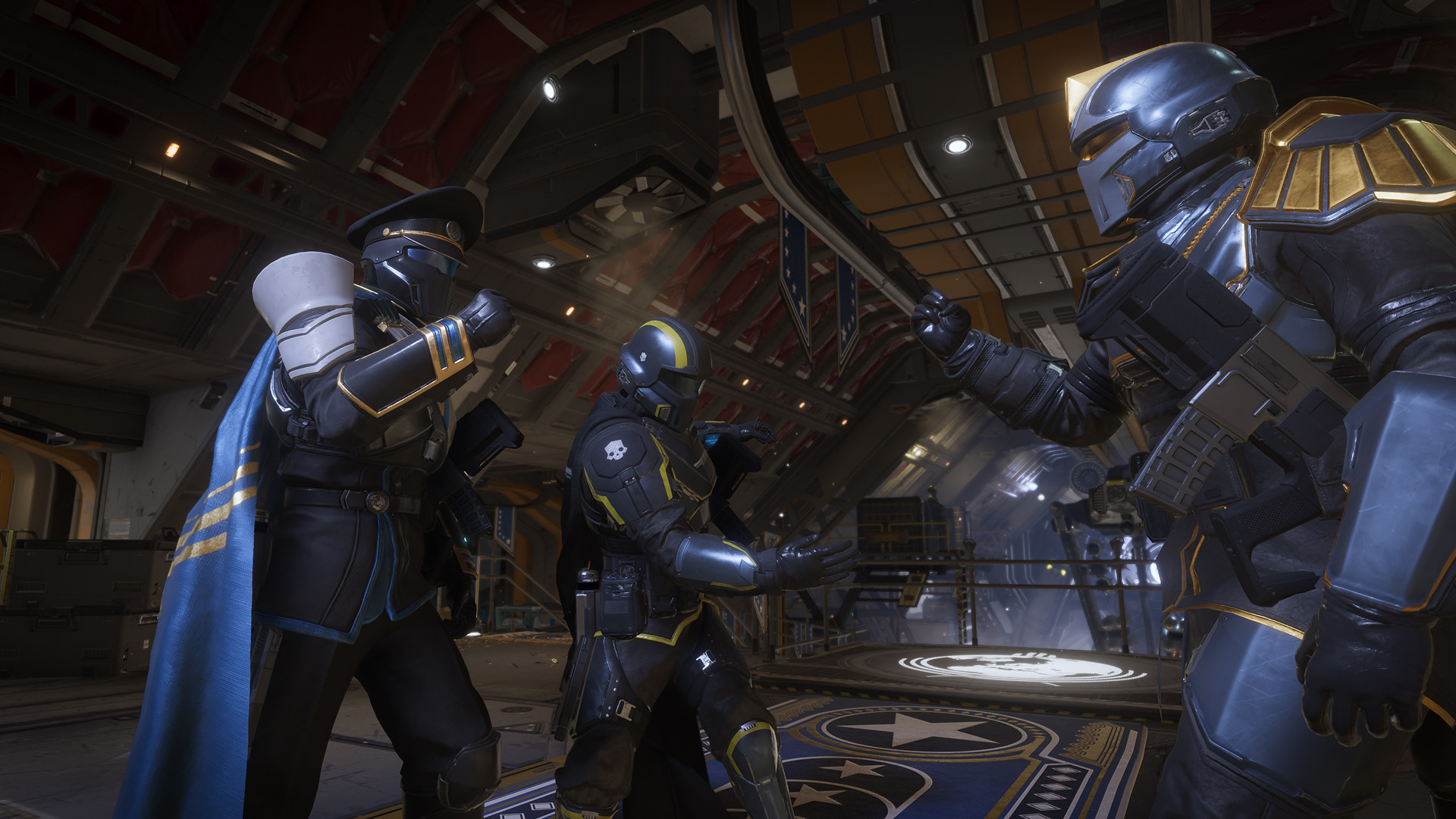
We at Arrowhead Studios are excited to mark Liberty Day, the Helldivers 2 in-universe celebration, that’s now in its third year. As with previous celebrations, we’re marking the anniversary with a range of in-game gifts for active Helldivers, decorating your ship lobby to mark the occasion, and much more.
The history of Liberty Day
Long ago, before the formation of the Democratic Council, humanity lived in utter undemocratic chaos. Citizens of Super Earth had no reliable sources of truth. People believed anything, everything, with erratic voting records influenced by information, misinformation, and disinformation. Society was crumbling, descending into total democratic anarchy. We needed leadership and action to unite our beliefs, our votes, and our views.
We are so fortunate that the Democratic Council came together at this pivotal moment to give us the first and final draft of the tenets of Managed Democracy, which guide us on our true path to liberation.
Now, every October 26, we come together to celebrate all the wonderful things Managed Democracy has given us. From fair elections and strong family values to the Helldivers themselves as our galactic peacekeepers.
How we celebrate
For Liberty Day 2186, we have some new celebration items especially for our Helldivers: aboard your Super Destroyers this year, we have drafted new regulations regarding holiday ship adornments for October 26. Now, for 24 hours on our special day, you will see banners, rugs, party supplies, and other fun decorations aboard your ship.
We are also continuing our custom of a Liberty Day gift for our active duty Helldivers: The AR-23L Liberator Legacy1. This classic modeled after weapons used in the First Galactic War will bring a retro flair to modern loadouts.
The AR-23L Liberator Legacy will be rewarded at the conclusion of the Liberty Day celebrations. Be sure to log in and participate in the celebrations to claim your gift.
Finally, we are bringing back some community minigames for Liberty Day, including
Minidivers*. Work together in the chat to send emoji stratagem codes and stop the waves of enemies.
Adopt-a-SEAF. Receive your very own blueberry to care for and send on missions. Meet your new friend on the frontlines.
Oath of Enlistment*. Do your part and receive a copy of your oath to keep.
Raise the Flag*. Salute in the chat and raise the flag together.
*Only available to members of our official Discord server.
Officially recognized Liberty Day parties
Many citizens choose to throw parties for Liberty Day. This year, the Party Planning Protocol was enacted by High Command to help citizens plan their regulation Liberty Day celebrations, which includes the creation of the Liberty Day Party Pack.
This pack contains everything a citizen needs to get started, from games and decorations to recipes and printable Helldiver helmets. Instructions for downloading the pack can be found via the link here.
Other popular Liberty Day activities:
The Liberty Day Pyre. Families gather around the pyre at home and reflect on patriotism while children open their Liberty Day gifts.
Liberty Day Parades. Check with your local colony or city to find out your parade routes.
Did You Know: You don’t have to miss the parade because you’re stationed on your Destroyer. The Liberty Day Parade in Prosperity City will be broadcast to your ships no matter where you are in the galaxy.
The Mandatory Salute. Helldivers and citizens alike throughout the entire galaxy are required to salute in unison as a show of our democratic unification.
Helldiver Enlistment. There’s no better time to take the oath and do your part.
Orbital Bombardment of the Moon. Send a message to the enemies of Liberty using over 15,000 megatons of ordnance.
Fireworks. Light the spark of civic duty in every citizen with a patriotic fireworks display.
No matter what, the most important thing to do on Liberty Day is to be free. Enjoying the freedom afforded to us by Managed Democracy is what unites Super Earth’s citizens under one common cause–no matter where in the galaxy they might be.
Super Merch Store
Celebrate what Managed Democracy means to you with Super Merch. Complete select in-game achievements before February 28, 2027 to unlock special items for purchase on the Helldivers 2 Super Merch store. Reach Level 100 and earn the ‘Hell Commander’ title to unlock the Hell Commander Pin. Complete 75 missions and secure some cuddly backup with the Private Teddy Snuggles Plush.2
Thinking of enlisting? Candidates eager to spread Managed Democracy across the cosmos can join up right now with a PlayStation Plus Extra membership, with Helldivers 2 available as part of Game Catalog, or alternatively you can drop some credits to sign up for the galactic frontline by purchasing the game at PlayStation Store.
Gear up for Liberty Day with new officially licensed merchandise
Bring the action of Helldivers 2 to your collection with all-new merchandise available now for Liberty Day and coming soon.
Available now at Displate, the Helldivers 2 Display Shards collection features a limited edition set of six metal collectibles, each featuring artwork inspired by the game. You can also show your allegiance to Super Earth with a collection of metal posters from Displate that brings Liberty Day to your walls.
Available for pre-order starting on November 20 from FiGGYZ, celebrate the heroes and enemies of Helldivers 2 with this limited edition, individually numbered FiGGYZ collector’s box set. Each set includes four pixel-art magnetic figures – Helldiver (Quick Draw), Helldiver (Flagbearer), Hulk, and Devastator.
Visit PlayStation.com for more information on these products and where to purchase.
Happy Liberty Day 2186, Helldivers – Stay free.
Full-day celebration privileges apply only to Class A citizens or higher. Class B citizens receive a one hour mandatory celebration period during which they may step away from their labor duties to attend their local parade and participate in the Mandatory Salute.
1 Rifles are distributed at the end of Liberty Day, 23:59 CET on October 26, 2026. Available to all players who have played since September 26, 2026, 00:00 CET. 2Criteria must be met by February 28 2027 at 9:59am PT. Eligible players must order the product between August 12 2026 and March 31 2027 at 11:59pm PT. Limit one per player, unavailable to ship where prohibited by US regulations. Private Teddy Snuggles Plush is unable to ship to Japan at this time. 3Gameplay requires internet access and paid-for PlayStation Plus membership (sold separately) on PS5. PlayStation Plus membership subject to recurring subscription fee taken automatically until cancellation. Age restrictions apply. Full terms: play.st/psplus-usageterms.
Share of the Week: 007 First Light https://ift.tt/BIg8Umt
Last week, we asked you explore the new Photo Mode in 007 First Light using #PSshare #PSBlog for a chance to be featured. Here are this week’s highlights:
call_me_xavii shared Bond blasting at enemies with his Aston Martin
WildJogurt shared a turtleneck-wearing Bond receiving mission orders
lucaslu_ckli shared a stylist look at James’ Aston Martin
m1rko_vp shared a black and white portrait of James looking dashing in the field
Milz_VP shares James checking out his outfit in the mirror
wern_r shares James posing next to Jack the bulldog
Search #PSshare #PSBlog on Twitter or Instagram to see more entries to this week’s theme, or be inspired by other great games featuring Photo Mode. Want to be featured in the next Share of the Week?
THEME: Costume SUBMIT BY: 11:59 PM PT on October 28, 2026
Next week, share your favorite in-game costumes or outfits from the game of your choice using #PSshare #PSBlog for a chance to be featured.
Saros: creating the epic Overlords of Carcosa https://ift.tt/xSGfvRZ
Housemarque and Nixxes developed Saros in close collaboration; one area was developing the set-piece bosses. Housemarque brought the creative vision, world, combat language, visual concepts, and signature bullet-hell DNA. Nixxes brought the bosses to life through encounter design, animation, environments, lighting, and technical implementation.
The result was a set of encounters designed to challenge players, surprise them, and deliver the kind of spectacle PlayStation players expect from a Housemarque action experience. Spoilers for the bosses of Saros ahead, so read at your own risk.
Collaboration with Housemarque
Boss fights in Saros are fully staged encounters, not just enemies with larger health bars, so that required close collaboration from the start. Housemarque handled boss concepts, visual direction, and VFX identity. Nixxes focused on animation, environments, technical design, boss behaviour, and attack implementation, with Housemarque’s final review and collaboration.
The road to developing a boss started with a briefing that outlined the vision, gameplay goals, and visual direction for the encounter. From there, Nixxes pitched its take, built early prototypes and first-playable versions, refining each encounter through iteration, playtesting, and polish until shipping.
What makes a Saros boss?
When designing bosses for Saros, we followed a few guiding principles, starting with three distinct phases for every boss encounter, each with its own identity, changing how the encounter looks, feels, and plays.
A typical boss battle in Saros lasts about three to eight minutes (Saros: Zenith has a tighter arcade experience), with the challenge coming mainly from boss behaviour, arena transformation, environmental hazards, bullets, beams, and physical attacks. These were also designed to encourage players to use their shield, jumping, parrying, and dashing abilities, knowing that a good boss attack should make players move with intent, not in panic.
Most importantly, when players were defeated by a boss, we asked: do they understand why they lost, do they know what to do differently next time, did it feel like their own mistake rather than something unfair, and do they want to try again?
The Bosses
Prophet — the wall boss
The Prophet was our introductory boss and a first major test for players. Because the Prophet appears early in the game, we wanted it to teach players what a Saros boss could be without becoming a major progression blocker. With the Prophet, we wanted a fight that felt dramatic and threatening while still welcoming players to the structure and expectations of boss combat.
Architect — the flying boss
The Architect is one of the game’s most dramatic encounters, fought atop a massive tower after earlier foreshadowing. The boss comes at you with everything it has, destroying the environment as the fight unfolds, and it doesn’t quit until the very end. The entire encounter centres on the collapsing arena, making the grapple hook a fundamental part of the battle. You are not just fighting the boss; you are fighting to survive the arena.
Shepherd — the massive boss
The Shepherd is the game’s largest boss and biggest visual spectacle, set on a ship on a stormy sea. It has an intimidating scale and culminates in a terrifying transformation by the end of the encounter. This boss is all about tentacles, which you must dodge and jump over throughout the fight. The tentacles also shrink the arena and spawn attacks from unexpected directions. In a dramatic conclusion, you face the boss on a sloped arena.
Priestess — the magic boss
The Priestess uses illusion and transformation, making for a less grounded, more surreal encounter with a strong phase identity. We wanted players to feel the Priestess could be the final boss, even if the journey was not over yet. The encounter evolves from illusion-based clone combat into a large-scale, floating arena, encouraging players to combine combat, puzzle-solving, and platforming to survive.
King — the final boss
As the final boss, we wanted the King encounter to feel direct, intense, and skill-focused. It is also a major narrative moment, and the encounter needed to reflect its importance. The boss battle escalates in personality as much as in challenge. It starts controlled and relentless, then becomes more brutal, and finally something feral and unpredictable. As a result, the King doesn’t rely on a complicated gimmick. Instead, the fight tests everything the player has learned, where mastery matters most.
Looking back and looking ahead to Saros: Zenith
Working on bosses for Saros was an amazing opportunity for the Nixxes content team. We aimed to make each one feel fair, thrilling, and worth trying again. And each encounter challenged us to think about how we could create the most memorable moments for the player. More importantly, it let us collaborate closely with Housemarque on the fast, responsive, high-intensity action that defines the game.
With Saros: Zenith, players can return to these battles in Housemarque’s new Overlord Rush mode and experience them in a fresh, faster, and more replayable way. We are excited to see how players take on the challenge and fight to reach the top of the Leaderboard.
Photo Modes are a rewarding way to get to grips with some essential elements of photography, while letting you more closely examine and appreciate a game’s art design and increasingly photorealistic visuals. Feature-rich Photo Modes put an entire suite of virtual lighting rigs at your fingertips, subtracting concerns about space requirements, or the patience of your models as you get your composition just right.
Insomniac in particular continues to bring a superheroic heft to its photographic options, first established through its Marvel’s Spider-Man games, with Marvel’s Wolverine. The game’s out for just over a month, and we continue to be dazzled by the Photo Mode skills players have displayed since launch. We’ve equally had questions from budding shutterbugs asking for guidance on how to better their shots. Here, we unpack some of the options the studio offers up in Photo Mode and some examples to get you thinking.
Warning: some of the photos here are spoilers for the game’s outfits and mid-game content
Set up tips
Chapter select: Once you’ve rolled credits, loading your save file will pop you back in Logan’s cabin. Head to the bed to access a chapter select menu, letting you leap into any location or moment from the story. From Canada’s snowy wilderness, neon-soaked Shinjuku arcades, to the compact districts of Madripoor and more, you got plenty of backdrops, blockbuster moments and quieter character moments to work with.
Photo Mode UI repositioning: Insomniac has packed in a multitude of options in its Photo Mode to cater to every need you’d have. That includes up to 5 independent lighting rigs (plus customisable natural light options!), character poses, miniature mode, filters and more. Extensive options means a chunky, multi-tab Photo Mode UI. Remember: if you find the UI is blocking your shot, you can tap a button to alternate it between the left and right of your screen.
D-Pad Shortcuts: As default you access Photo Mode from the Pause menu, but jump into Settings, and you can map a shortcut to Photo Mode to the DualSense’s D-Pad. And while you’re there, assign another D-Pad button to adjust the game speed, letting you reduce game speed by 30, 50 or 70%. Useful when you want to capture the perfect action moment.
Landscape, portrait or between: You can use the Tilt option to angle the camera from a straight landscape shot, to a dramatic dutch angle, or a 9×16 portrait image. You’ll need to tilt your own head to better compose the shot with that last option (or, if you’re playing on a PlayStation Portal, just turn the handheld device on its side).
I see five lights
A headline feature of Marvel’s Wolverine Photo mode is five independent lights, each offering separate colour spectrums, intensity options, adjustable distances and such. You can choose each light to be Sphere (casting a wider glow from their centre) or Spotlights (a stronger directional beam).
One to two lights: That can seem daunting, but you don’t have to use them all! In fact, for individual portrait shots, just one or two will do. In photography terms, two lights cover your key light, and your rim light. The former is the main light, illuminating your subject from the front. Play about with having this light to the side, above or below your subject to change the mood of the shot. The latter usually is positioned behind your subject at a lower intensity and at a slight angle, casting a soft fall of light onto your model’s side, shoulders or hair, which separates them from the background.
But those guidelines aren’t rigid: play with lighting, shifting from traditional portraiture to something more startling, as I’ve done with the above. (Which positions Logan’s character model within the radius of a gun’s muzzle flash during a fight scene.)
And once you’ve comfortable with one subject, extend it to two models, then group shots.
So, 5 lights. There’s a few examples of location-based uses that could help wrap your head around how to operate them.
Try this: Take the arcade early on in the “In the Shadows” chapter. It’s a barrage of colour, glowing cabinet screens and neon ceiling lights battling for dominance. Switch to Photo Mode and use each light to mimic the glow of a different arcade cabinet screen, or infer ones that aren’t even in shot. Tinker with the intensity and light type of each. You’re just trying to best replicate the mood and look of an arcade bar.
I applied the same trick to the casino scene below, but with two lights only. One was positioned just in front of the fruit machine to give off that notable glow, which bathed Jean Grey’s left side in purple light. Logan on the other hand was the focus of an off-white light off-camera, mimicking the glow from the wider casino floor.
Three lights: The below photo ups the set to three lights, this time coloured to replicate the flow from the two lanterns to the rear of the shot, and the candles on the floor in the foreground. I upped the intensity of the front light to cast a strong shadow on the floor. A similar trick I applied to an alternate version on the arcade scene: notice the shadow of the grabber claw cast on the back wall?
Move him as you need him
In all the shots thus far, my focus was ever on the position and body language of NPCs, rather than Logan himself. That’s because with the Character Pose option, you’re able to cycle through a set of different locked poses, and then, with movement options, you’re free to move Wolverine to anywhere within a generous radius (up, down, left, right, back and forward). You can rotate him, cycle through a variety of facial expressions and switch between any suits or claws you’ve currently unlocked. You can also hide him entirely, or any enemy NPC thanks to a toggle option in the menus.
A good rule of thumb with any photo: once snapped, cycle through the different suits before exiting. Some might fit the mood of a shot better, and the various materials on each react differently to light sources.
Note: Logan’s original position when entering Photo Mode will be taken as the centre point to which the 5 independent lights will circle around, not where he is moved to. So you’ll need to adjust lights accordingly if you want him lit a certain way.
Ready, set, action (figure)
A fun feature making a welcome leap from Marvel’s Spider-Man 2: Action Figure mode. Found in the Character Pose sub-menu, one click turns Logan miniature. Ripe for some creative executions. For myself, I envisioned Wolverine sitting in Jean’s outstretched palm. In trying to capture that moment during a combat moment, I stumbled onto something unexpected: the world’s smallest Fastball Special.
Worth noting: despite his (more than usual) diminutive size, mini-Logan’s model has the same movement radius (up, down, left right, forward or back) as his normal-sized version.
The above had a comic book cover-like look I liked, which led me to the rabbit hole of using miniature work, and the ability to switch backgrounds to a specific colour palette to mimic something you’d see on the front of a graphic novel.
The above was possible due to another feature worth flagging: Logan has an entirely separate set of poses when he’s airborne, as exampled below.
Merging Figures
The Wolverine character model isn’t blocked by other character models or environmental objects when moving him,
giving you the flexibility to get characters side by side for some dramatic shots. Don’t worry about any clipping or overlaps between models! The right camera angle will hide that imperfection (such as the shots below: in the first Jean’s right arm is actually clipping through Logan’s jacket, the second, Logan’s knee is clipping through Jean’s back).
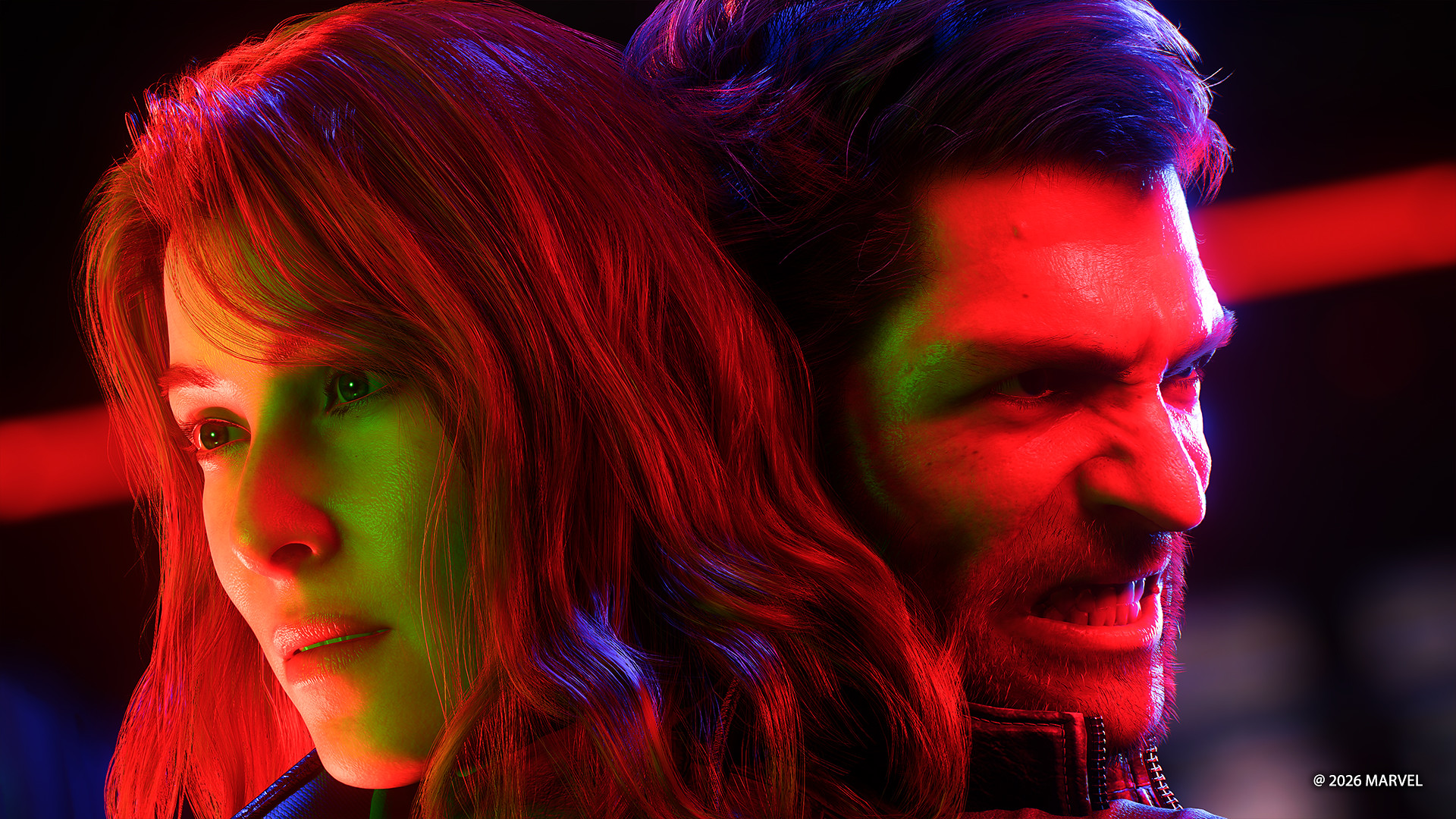
That said, don’t be afraid to get creative with the clipping. Example below: having Jean and Logan’s heads blend together, a nod to sci-fi movie-style posters and referencing how the game’s story delves into his mind and memories.
Composed and captured your shot? Now pan around
Captured a great shot? Great. But before you back out of Photo Mode, train yourself to do one last pan around. There may be an alternative angle to your setup, a hidden detail just out of view. Heck, there could be a completely different photo worth capturing in the frozen moment. For me, an early example was the below. Originally this was a neon-lit picture of Wolverine in a completely different pose. But I widened the lens and spotted Jean’s hand in the foreground, which made for a fun framing device and also gave a different vibe to the photo.
Now go grab some great photos
The above isn’t intended to be an exhaustive run down of the game’s many Photo Mode options, but a few primers to get you thinking and start on capturing great shots of your own. If you need more inspiration, find a few more galleries below!
Street Photography Gallery
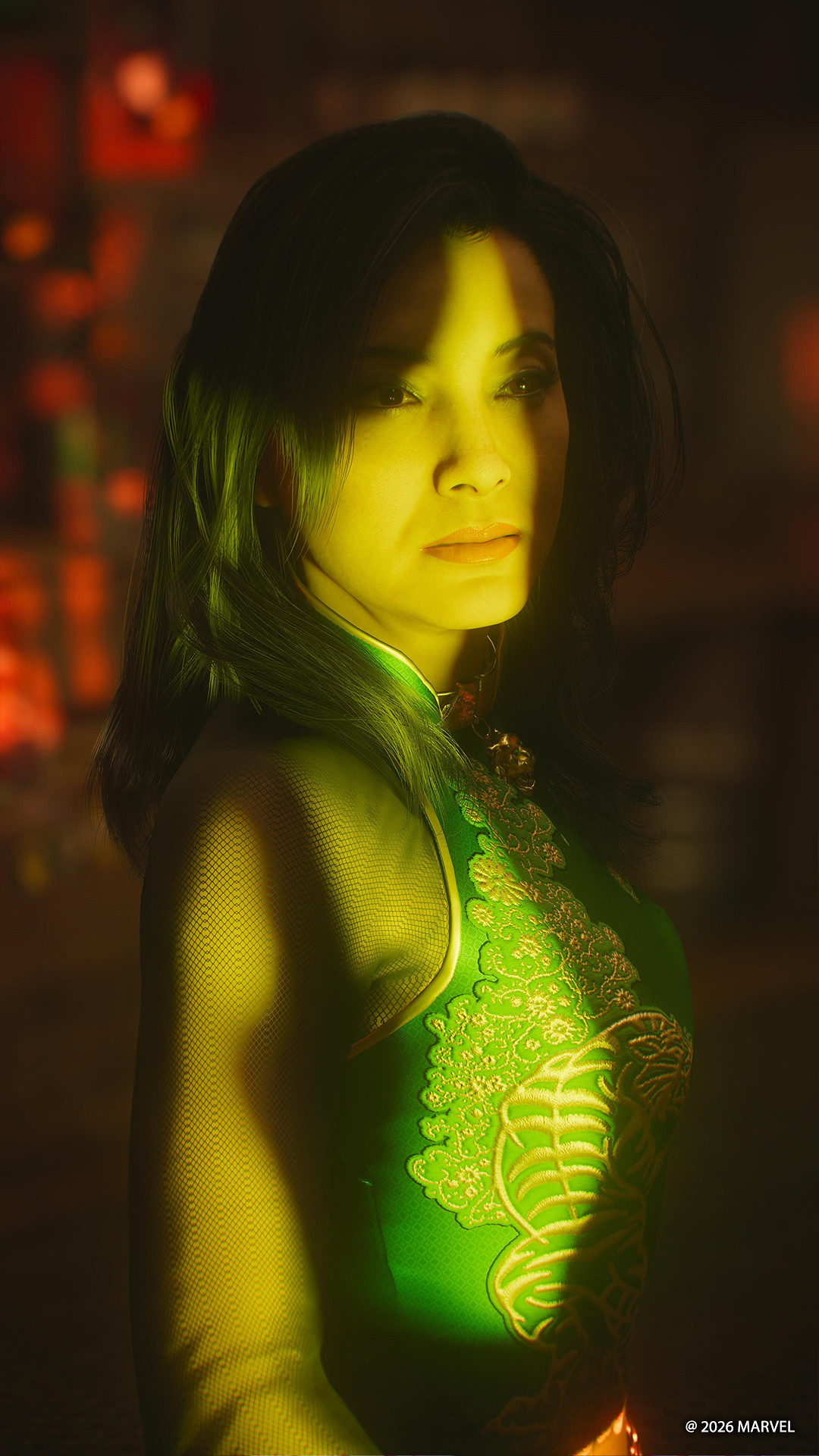
Remember to look beyond your immediate view. Every location in the game is rich with cool environments or background characters going about their lives.
Download the image
Download the image
Download the image
Download the image
Download the image
Download the image
Download the image
Action Gallery
You can increase the amount of blood or damage on Logan’s character model via a specific menu option in Photo Mode.