Hozy brings calm, tactile home restoration to PS5 on November 9 https://ift.tt/pGtXg1a
Imagine actually enjoying cleaning your house or ripping out old tiles. Unhinged, isn’t it?
You put on your favourite music and open the windows to let the fresh air in. The dust disappears, the floor begins to shine with every sweep of the mop, and the rooms start to transform into cozy, welcoming spaces. There’s something incredibly satisfying about seeing it all come together, one step at a time.
That’s exactly what we wanted to capture in Hozy – a cozy, tactile and stress-free home restoration game that is coming to PlayStation 5 on November 9.
Welcome to Littleville
Hozy is a game where you can completely unwind. There are no timers, no scores and no pressure.
Each level in Hozy features a space with its own atmosphere and story. Your first job is to tidy it up and renovate it. Then furnish it using the sets of furniture and décor provided. Don’t worry about being overwhelmed with an endless catalogue – each level features a carefully curated set of items you’ll need so that the end result always looks worthy of the interior design magazine.
Comfort in every detail
To help you tackle the tasks of refurbishing the rooms with ease, you’ll have access to an array of tools: from a simple mop to a crowbar. We all know what it’s like to mop the floors… But in Hozy, even this is a real pleasure. We’ve done our best to ensure that using each tool brings nothing but joy.
You can also interact with the surroundings and a whole host of furniture. Open the window to let the breeze play with the dust particles. Light a lamp by the sofa to create a cosy reading nook. Play a tune on the piano or find secret messages in one of the drawers – experiment with different objects to discover what other interesting effects await you.
Every surface, every object and instrument has its own unique sound. And the music changes dynamically as you progress through the level – we recommend playing with headphones or a home cinema system to fully appreciate the sounds of the world around you.
Immersive cozy gameplay
This is something we’re particularly proud of. When we first started developing Hozy, our main aim was to make using the instruments as enjoyable and responsive as possible. And the DualSense wireless controller is simply perfect for complementing and enhancing that experience.
Thanks to haptic feedback, interacting with objects and surfaces becomes even more realistic, as every action you take is accompanied by a unique set of vibrations. For example, when a mop glides smoothly across the floor or when you’re arranging furniture. Combined with the adaptive triggers, you’ll naturally feel the resistance of the floorboards as they finally give way to the crowbar.
The DualSense’s built-in speaker helps you immerse yourself even further in the game’s atmosphere, subtly emitting additional sounds from the instruments you are currently using.
More ways to play
Once you’ve completed the Hozy storyline, comprising nine unique levels, your journey into the world of cosiness isn’t over yet. Come back to the houses you’ve already restored to discover… new versions of the previous rooms. The ‘Game+’ mode will help you look at these rooms in a new light (literally) – now you can switch between day and night, as well as furnish rooms with different sets of furniture. Some of them will change beyond recognition.
If you fancy creating something truly yours, Hozy has just the thing for you – a Sandbox mode with every item available in the game. Mix and match, duplicate, and customize your rooms however you wish. Who are we to tell you which wallpaper, background colour, window shape, support beams or light switches to choose?
But there’s more: we also have plans for seasonal events and various DLCs, both free and paid.
Make it Hozy
Of course, we haven’t forgotten about the various accessibility features, so that as many renovators as possible can enjoy Hozy. The game is available in 11 different languages and includes a range of visual and control settings. Adjust the movement speed of your tools, invert the camera, change colour display settings and much more.
If you want to make playing Hozy even more comfortable – settle into your favourite armchair, pour yourself a cup of hot chocolate and launch the game on PlayStation Portal.
We’re looking forward to November 9, when you’ll be able to enjoy Hozy at your own pace.
Last week, we asked you to share moments spent in the shadows from your favorite games using #PSshare #PSBlog for a chance to be featured. Here are this week’s highlights:
John_Varela_R shared Ada peering out from the shadows in Resident Evil 4’s DLC
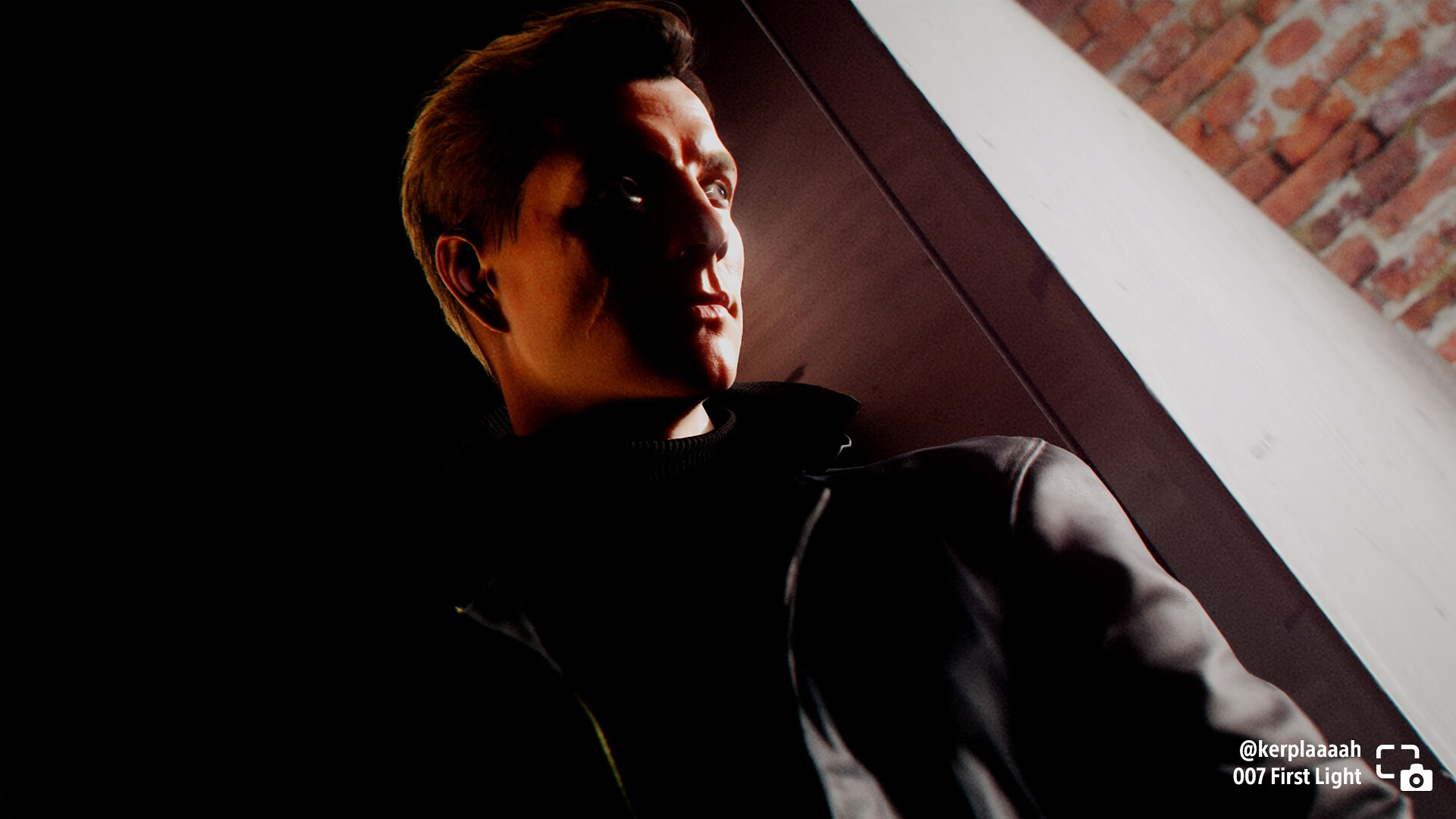
kerplaaaah shared James Bond peering around a shadowy corner in 007 First Light
call_me_xavii shared Du’Met standing in a shadowy doorway in The Dark Pictures Anthology: The Devil In Me
FlamingHobo666 shares Jin’s silhouette in Ghost of Tsushima
artenpixels_ shares Alan walking through a shadowy subway platform in Alan Wake II
Search #PSshare #PSBlog on Twitter or Instagram to see more entries to this week’s theme, or be inspired by other great games featuring Photo Mode. Want to be featured in the next Share of the Week?
THEME: Light SUBMIT BY: 11:59 PM PT on November 11, 2026
Next week, share characters stepping into the light from the game of your choice using #PSshare #PSBlog for a chance to be featured.
Assassin’s Creed Valhalla: new update brings New Game+, upgraded PSSR support for PS5 Pro today https://ift.tt/41oTiw5
Assassin’s Creed Valhalla: The Most Requested Update, a free update bringing several player-requested and quality-of-life features to the game, is live today on PlayStation 5 and PlayStation 5 Pro. The update has new content, a progression update, and more, including:
New Game+
2 New Achievements
Enhanced Progression Mode option
New Power calculation
Master Assassin Naoe outfit
Upgraded PSSR optimizations
Animus Hub synchronization update
The new PSSR update is exclusive to PlayStation 5 Pro players, giving them an even higher visual quality as they embark on or continue their Viking adventures in England. We spoke to Priscilla Nguyen, Engineering Studio Manager, to learn more about this update and why it’s essential for PlayStation 5 Pro players.
What can you tell us about the PSSR update for the PS5 Pro?
Priscilla Nguyen: It was about integrating the upgraded PSSR into the game, to have better graphics when upscaling at a better framerate. The upgraded PSSR is more efficient than the original, and easier to implement in the game source code.
The upgraded PSSR is an enhanced version, and slightly more efficient than the game’s current Temporal Upscaler. More importantly, it’s much crisper and more visually stable, giving you seamless and stunning environments to explore in England.
Why bring these improvements to Assassin’s Creed Valhalla?
PN: At Ubisoft, it is important to remain at the forefront of technological innovation to ensure players continue to benefit from the best possible gaming experience, and as the upgraded PSSR was already successfully integrated into our latest releases, Assassin’s Creed Black Flag Resynced and Assassin’s Creed Shadows, we thought it would be great to have in Valhalla too. The Assassin’s Creed Valhalla update presented an excellent opportunity to integrate the upgraded PSSR, delivering a noticeably sharper and more visually refined image quality in 4K and smoothness with 60FPS.
One of the aspects players appreciated most about Assassin’s Creed Valhalla was the beauty and visual variety of its open world, from the snowy mountains of Norway to the flourishing meadows, robust forests, and frigid highlands of England. Now, with the new PSSR optimizations, those graphics have been enhanced and preserved to meet today’s technical standards and continue to deliver a high-quality, smooth visual experience for our players.
Assassin’s Creed Valhalla came out a few years before the PS5 Pro. Were there any challenges updating the visuals for PSSR?
PN: We didn’t need to overhaul the game’s content or visual assets. Instead, we leveraged the upgraded PSSR within our engine and rendering pipeline to enhance 4K image quality and deliver our Quality mode at 60FPS on PS5 Pro.
The interesting challenge was finding the right balance between image quality, performance, and integration within an existing game that was originally built years before the PS5 Pro existed. The upgraded PSSR proved to be a very efficient solution, allowing us to maximize the new hardware’s capabilities while delivering a noticeable visual uplift and stronger performance without requiring extensive changes to the game’s content, making it an effective way to modernize the experience for PS5 Pro players.
PlayStation Store: October 2026’s top downloads https://ift.tt/Khl9Tc6
It’s time to see which PS5, PS4, PS VR2, and free-to-play games topped last month’s download charts. In October, Call of Duty: Modern Warfare 4 led the PS5 charts in the US and the EU, and BeamNG.drive landed in the top 3 on both charts. Meanwhile, Hard Bullet dominated the PS VR2 charts.
Check out the full listings below. What titles are you playing this month?
PS5 Games
US/Canada
EU
Call of Duty: Modern Warfare 4
Call of Duty: Modern Warfare 4
BeamNG.drive
EA Sports FC 27
EA Sports FC 27
BeamNG.drive
Phantom Blade Zero
Phantom Blade Zero
Madden NFL 27
Minecraft
NBA 2K27
PEAK
Peak
Enshrouded
Star Wars: Galactic Racer
Star Wars: Galactic Racer
Ace Combat 8: Wings Of Theve
Mafia III: Definitive Edition
Minecraft
Planet Zoo 2
College Football 27
Grand Theft Auto V
Halloween
The Witcher 3: Wild Hunt
Clive Barker’s Hellraiser: Revival
Arc Raiders
Marvel’s Wolverine
Ace Combat 8: Wings Of Theve
Enshrouded
It Takes Two
Castlevania: Belmont’s Curse
NBA 2K27
Final Fantasy Resonance
Cyberpunk 2077
Minecraft Dungeons II
Clive Barker’s Hellraiser: Revival
ARC Raiders
Minecraft Dungeons II
Grand Theft Auto V
Resident Evil 4
*Naming of products may differ between regions *Upgrades not included
PS4 Games
US/Canada
EU
Red Dead Redemption 2
Red Dead Redemption 2
Batman: Arkham Knight
EA Sports FC 27
Gang Beasts
Batman: Arkham Knight
Marvel’s Spider-Man
A Way Out
Minecraft
Tomb Raider: Definitive Survivor Trilogy
Resident Evil 6
Unravel Two
Tomb Raider: Definitive Survivor Trilogy
Mafia Trilogy
Middle-earth: Shadow of War
Gang Beasts
A Way Out
Minecraft
Resident Evil 5
Need for Speed Heat
Need for Speed Heat
Bloodborne
Mortal Kombat X
The Forest
Mafia Trilogy
Shadow of the Tomb Raider
Detroit: Become Human
Resident Evil 6
Street Fighter: 30th Anniversary Collection
Middle-earth: Shadow of War
Injustice 2
Detroit: Become Human
inFAMOUS Second Son
Resident Evil 5
Star Wars Battlefront II
Dying Light
Ultra Street Fighter IV
Tomb Raider: Definitive Edition
The Forest
Star Wars Battlefront II
*Naming of products may differ between regions
PS VR2 Games*
US/Canada
EU
Hard Bullet
Hard Bullet
Horizon Call of the Mountain
I Am Cat
Into the Radius 2
Beat Saber
Beat Saber
Horizon Call of the Mountain
I Am Cat
Job Simulator
Job Simulator
Into the Radius 2
Among Us 3D: VR
Among Us 3D: VR
Bootstrap Island
Swordsman VR
Gorn 2
Flight Simulator Delivery 2025 VR
Zero Caliber Remastered
Pavlov
*PlayStation Store purchases only. Game upgrades or games bundled with hardware not included
Bringing Jin Sakai back to life for Ghost of Yōtei: Most Wanted https://ift.tt/MxShiT7
It’s been amazing to watch the response to Ghost of Yōtei Complete Edition, from photo mode shots to Echoes of Sekigahara* reactions to flawless fights against Nobushige and beyond. But some of our favorite videos we’ve seen since launch feature Jin Sakai in Most Wanted*, and we’ve loved watching people tear through bounties as the returning Ghost of Tsushima.
With all of these great new moments featuring Jin, we wanted to dive into a little bit of the process behind bringing him back for Ghost of Yōtei, including all the tiny details that help make him feel like himself. Here’s some insight from some members of our team who helped bring him back to life.
How Most Wanted opened the door for Jin’s return
With Most Wanted our goal was to create a new way to experience Ghost of Yotei’s combat. We were excited to focus on challenge and mastery in a highly replayable format.
We wanted to give players new opportunities to grow stronger and master specific forms of combat, building on the foundation established in the main campaign. Very quickly the idea of a class-based, roguelike model emerged as a path to achieve these goals and as an opportunity to experience combat from perspectives other than only Atsu.
As the team got excited about the idea, plenty of production and logistical questions emerged about what would be possible. We thought Jin Sakai would fit perfectly in this mode, but we wanted to make sure we could deliver an experience that was authentic to his character. During the initial prototyping of Most Wanted, we started with other characters to prove out the idea and get a better understanding of what would be necessary to bring Jin back.
After an early playtest with Jin, I had a conversation with our Lead Combat Designer, Ted Fishman. The joy of playing with Jin again was undeniable, but something had become clearly apparent to Ted. There wasn’t a partial implementation that would deliver the fantasy of playing as Jin. No, if we were to push forward, we had to bring back all of Jin.
The team understood that bringing back Jin would be an ambitious challenge. It would involve the creation of new art assets, adapting to the evolution of combat mechanics between Tsushima and Yōtei, and much, much more. The requirements grew as we discussed the ultimate fantasy of ensuring Jin could play with all his Stances and use his iconic sticky bomb.
As the scope of the work became clearer, the team’s excitement only grew. Instead, everyone was so excited about the prospect of Jin’s return they continued to identify areas where we could deliver the best version possible, and we are so proud everyone can play that version today.
– Parker Hamilton, Systems Design Lead
Adapting Jin’s combat styles to work in Ghost of Yōtei
Playing as Jin Sakai in Ghost of Tsushima, you feel like a master swordsman. It took a lot of collaboration across disciplines to recreate that feeling and bring it forward into Most Wanted. By the end of production though, we were having a blast doing runs as Jin. It was honestly a big relief! It was gratifying to see him finally come back to form after many months.
Jin’s 60+ attack animations, most with their own bespoke kill animations, had to be retargeted to the new character rig, retouched (sorry Mark), and rebalanced for Ghost of Yōtei’s combat systems. Stone Stance’s Piercing Strike in particular decimated everything in Yōtei as originally implemented. In addition, Mark created custom strafe animations for each of Jin’s stances to support the new Focus Attack model (thank you Mark).
We wanted Jin’s perks to play into his classic feel. For example, classic Jin would immediately interrupt enemy combos with a well-timed press of the Block button. The distinction between Parry Deflect and Parry Interrupt didn’t exist in Ghost of Tsushima. In Most Wanted, the Rattling Parry perk causes Jin to deal more Stagger damage on successful parries, causing Parry Interrupt to happen more often. He also has a basket of perks that encourage Perfect Parry.
His unique fighting style is more than that though. Jin’s formally trained Stone Stance is complemented by his ability to dance between katana stances and scrappier tactics like his Quickfire. Empowering Quickfire even directly rewards following up Quickfire with melee.
A bunch of team members including our QA department contributed to filling out his set of perks. As we continued experimenting with the possibilities of Most Wanted, we really embraced the chaos and had a great time finding creative ways of having a great time, even bringing back Jin’s connection with the wind in perks.
Personally, I’m just glad people are having fun with Jin again out in the wild. I saw a clip that was something like, Jin flying through the air in bullet-time, head-shotting an enemy with a Tanegashima, following up with a Sticky Bomb, then a Water Stance flurry which triggered a lightning strike, and it had me beaming.
– Nate Slottow, Programmer
Reviving his animation styles and adding a nod to a cinematic Ghost of Tsushima moment…
When the Animation Team joined Most Wanted, we were ecstatic to bring Jin back into the game. The team was equally struck at the amount of effort we knew it would take to really bring back the whole essence of Jin, considering the amount of production time remaining. The Most Wanted team put an incredible amount of work into making it happen, and seeing Jin back again has been absolutely worth it.
As well as reviving more than 60+ combat animations, the team brought back Jin’s idle actions, which are iconic to his character. Near the end of production, the team had a great idea to incorporate Jin’s rarely seen “bird hold idle” into the Most Wanted menu. The character selection menu gave us an additional way to showcase each character’s demeanor. Jin’s selection animation was inspired by the cinematic moment in Ghost of Tsushima when Jin first recovers the storm blade.
Seeing all the fans’ reactions to Jin’s return has been absolutely awesome. Bringing Jin back to life has been a rewarding experience, and our team hopes everyone has as much fun playing Most Wanted as we’ve had.
– Mark Wheeler, Senior Staff Animator
…and keeping the character model and armor authentic to the original while adding visual updates
Jin Sakai has become an iconic character and has an equally iconic look. Reviving him to not just his former glory but matching the fidelity of Atsu was a challenge but an exciting one. Jin’s armor was one of the first things brought back. Fortunately, thanks to the stellar work of the artist who initially created it (Emre Ekmekci), a large portion of the model still held up. That left a lot of the hard work on the modeling side handled and the fun of giving it a new coat of paint as the primary challenge. Updating the metal, leather, and cloth to match how it looked during Tsushima, yet still have detail now possible in Yōtei, was a fine balance. I used his old texture files as a reference point to match materials to what they were before then added subtle details on top to push it that last 10%. I wanted to add some wear and age to the armor without disrupting how people remembered it.
Now that the armor was in a place we were happy with, the next hurdle was his face and hair. Skin textures, shaders, facial hair, everything had to be tackled and held next to Atsu to make it feel like they were both made in the same era. This was a challenge: I couldn’t tweak his skin too much or else he would look like a different character, but if I left things too unchanged he would look odd next to his counterpart. Using the same textures from Tsushima as a base, we built up from there, tweaking his skin tone, redness, lips, even his scar to look sharper and more defined. We also baked new normal maps to help push his skin detail a bit further. A lot of intentionality went into bringing him back.
Once everything came together, being able to see him posed in all his glory was a real spark of joy. It was an honor to have a part in bringing this character back to life. Seeing fan reactions to his reveal and their excitement while they fight through bounty after bounty has been a highlight of my career.
– Nate Ramsey, Character Artist
Redesigning audio, a new take on Jin’s musical theme…and bringing back Daisuke Tsuji
It was so fun to revisit Jin Sakai and revive many of his special attacks. We took great care in reviving iconic moves like the Heavenly Slash, Dance of Wrath and even Jin’s Ghost Stance directly from the assets used in Ghost of Tsushima.
Reviving his musical theme, including the amazing new version we recorded with Justin Johnson on lap steel guitar, was another fun aspect we knew fans would love to hear.
One of the biggest considerations in bringing Jin back to life was his character movement sounds. We completely overhauled the way we handle character movement sounds between Ghost of Tsushima and Ghost of Yōtei so we needed to take Jin’s old sounds and rebuild them in a way that stayed true to the original, while supporting our new, more dynamic animation tagging system. One of our sound designers, Chris Walasek, took all of our assets we recorded for Jin’s iconic Ghost armor and re-designed his movement sounds to match this new system ensuring the transients of Jin’s movement sounds were consistent with our other characters.
We also knew, when first considering bringing Jin into the world of Ghost of Yōtei: Most Wanted, it wouldn’t be possible without the voice of Jin himself, Daisuke Tsuji. Getting Daisuke back into the booth was a great experience as always. He’s a brilliant actor and really fun to riff with. Hearing his takes on the confrontations with each Yotei 6 member brought us big smiles during the recording sessions and even allowed us to sneak a few Jin lines into the main game.
We hoped fans would be excited to play this fun new mode with one of their favorite characters, and it has been a joy watching as they’ve repeatedly struck down the Yōtei Six with everyone’s favorite samurai-turned-Ghost.
– Rev. Dr. Brad Meyer, Audio Director
We were really excited to work with Daisuke Tsuji again and bring back Jin while staying true to the character. From an art perspective, Jin was originally created for PS4, while Yōtei was built entirely for PS5, so our rendering technology has come a long way. Our goal was to maintain the familiarity of his original design while bringing him forward with the visual fidelity of Yōtei.
This time around, we could push much more detail into his face, hair, clothing, and especially his armor, while keeping the shapes players remember. We also wanted to bring back his iconic imagery and gestures, like the quiet moment before a duel where his thumb pushes the tsuba, and the way he wipes blood from his blade after a kill.
For us, it really came down to honoring Jin while applying everything we’ve learned artistically and technically since Tsushima, and I am so proud of the way everything came together.
– Joanna Wang, Production Art Director
*Internet connection, account for PlayStation, and patch v.2.0 or later required.
Grand Theft Auto VI pre-download begins November 10 https://ift.tt/SBH4ic7
Grand Theft Auto VI launches November 19 on PlayStation 5, with pre-download available starting November 10. Whether you’re returning to the series or jumping in for the first time, here are a few key steps you can take now to prepare for launch day.
Step 1: Set up your PlayStation account
Make sure your PlayStation account is ready to go before launch.
If you’re new to PlayStation, create an account and sign in on your console. Existing players should confirm their sign-in information and account details are up to date.
Pre-order Grand Theft Auto VI through PlayStation Store or participating retailers to ensure you’re ready to play as soon as the game becomes available on November 19. Pre-order the Grand Theft Auto VI: Ultimate Edition to receive an exclusive collection of premium vehicles, weapons, apparel, and action threaded across all aspects of Jason and Lucia’s story.
Visit the PlayStation Store product page for available editions, pricing, and additional details.
Pre-download timing will be available to those who pre-order starting at November 10 local midnight. Get ready by clearing a minimum of 212GB of storage space on your PS5. You can also explore options to extend your PS5 storage ahead of GTAVI.
Downloading the game before release means you’ll be ready to jump in as soon as it becomes available. Stay tuned for additional details later this year.
Sonic Racing: CrossWorlds Year Two begins today with Duel Mode, new characters, gadgets and more https://ift.tt/pIS397v
Sonic Racing: CrossWorlds Year Two is officially launching later today, with more racers, more vehicles, and more courses joining the ever-growing universe of Sonic Racing: CrossWorlds.
In addition, Year Two brings several significant additions to the game, enhancing the already exhilarating experience with more ways to play with friends, gameplay updates to deepen the experience, and new gadgets to master.
We sat down with the development team of Sonic Racing: CrossWorlds to get some behind the scenes details about the road to Year Two.
In Year Two, several new features have been added to further expand the ways players can enjoy CrossWorlds, including Duel Mode, new Gadgets, and the Super Slot. How did the team approach designing these additions?
Sonic Racing: CrossWorlds dev team: One of the core appeals of CrossWorlds is the ability to discover your own play style and refine how you race as you continue to play and gain experience. For Year Two, our goal was to expand those possibilities even further.
For example, Duel Mode was created to offer a different experience from the standard 12-player races by focusing on the unique strategy that comes with one-on-one competition. By letting players focus on their distance from their opponent and how they use items, races can unfold in entirely different ways.
Gadgets are another feature that allows players to experiment and discover combinations that best suit their personal play style. In Year Two, we’re introducing the Super Slot, a dedicated slot for one-slot Gadgets. The Gadget placed in that slot will have its effects enhanced, opening up even more possibilities for combinations and strategies.
New strategies emerge from both the race rules and the choices players make with customization. With Year Two, we aimed to create a game that continues to offer new discoveries every time you play.
Some eagle-eyed fans might have noticed that one of our bonus exclusives for Sonic Racing: CrossWorlds Year Two Digital Deluxe Edition and Season Pass Two first appeared online as an April Fool’s joke… and they’re right!
The Sega Consoles Pack, featuring three vehicles inspired by Sega’s historic consoles, make their debut in Sonic Racing: CrossWorlds. But turning a video game console into a racing vehicle is no easy feat. We decided to dive in a bit more with the dev team on how they chose to design the vehicles while maintaining the iconic consoles’ identities.
The Sega Consoles Pack features vehicles inspired by classic Sega hardware. What design choices did the team make to evoke a sense of nostalgia?
We incorporated design elements that instantly remind players of each console, such as their colors, shapes, and button layouts. The Dreamcast’s rounded form and distinctive color scheme, as well as the Genesis and Sega Saturn’s angular silhouettes and subdued tones, are all expressed as part of each machine’s identity. We also recreated the Dreamcast’s Visual Memory Unit (VMU) using original reference data from the era.
Download the image
Download the image
Download the image
Rather than directly recreating the hardware itself, we translated rounded forms into fenders and nose sections, while angular lines became body panels and hoods, adding the sense of speed expected from a racing machine. While preserving recognizable colors and components from each system, we also designed around the game’s front-and-rear combination mechanic, incorporating the fun of pairing consoles and controllers into the vehicles themselves.
The Genesis Tower US in particular required considerable experimentation to ensure it wouldn’t obscure the characters or interfere with gameplay while still retaining its recognizable appearance.
Download the image
Download the image
We hope players enjoy both the nostalgia of immediately recognizing a beloved console and the surprise of seeing it transformed into a racing machine. More than anything, we hope these machines remind fans of Sega’s longstanding spirit of boldly taking on new challenges throughout gaming history, and that they can still feel that same sense of excitement today.
————-
With a boost of new gameplay mechanics to explore and permanently slashed prices now’s every racer’s chance to hit the racetracks! Get the Standard Edition for $39.99 USD and the Digital Deluxe Edition and Year Two Digital Deluxe Edition each for $59.99 today on PlayStation Store.